
Video editor for Linux
The Resolve layout and keys, free and light on Linux.
Kinoklip is a free, open source video editor with the pages, menus and shortcuts of DaVinci Resolve. It is light enough for a laptop with integrated graphics, and H.264, H.265 and AAC are included.
Still in beta, so save often. GPL-3.0, one AppImage for x86_64.
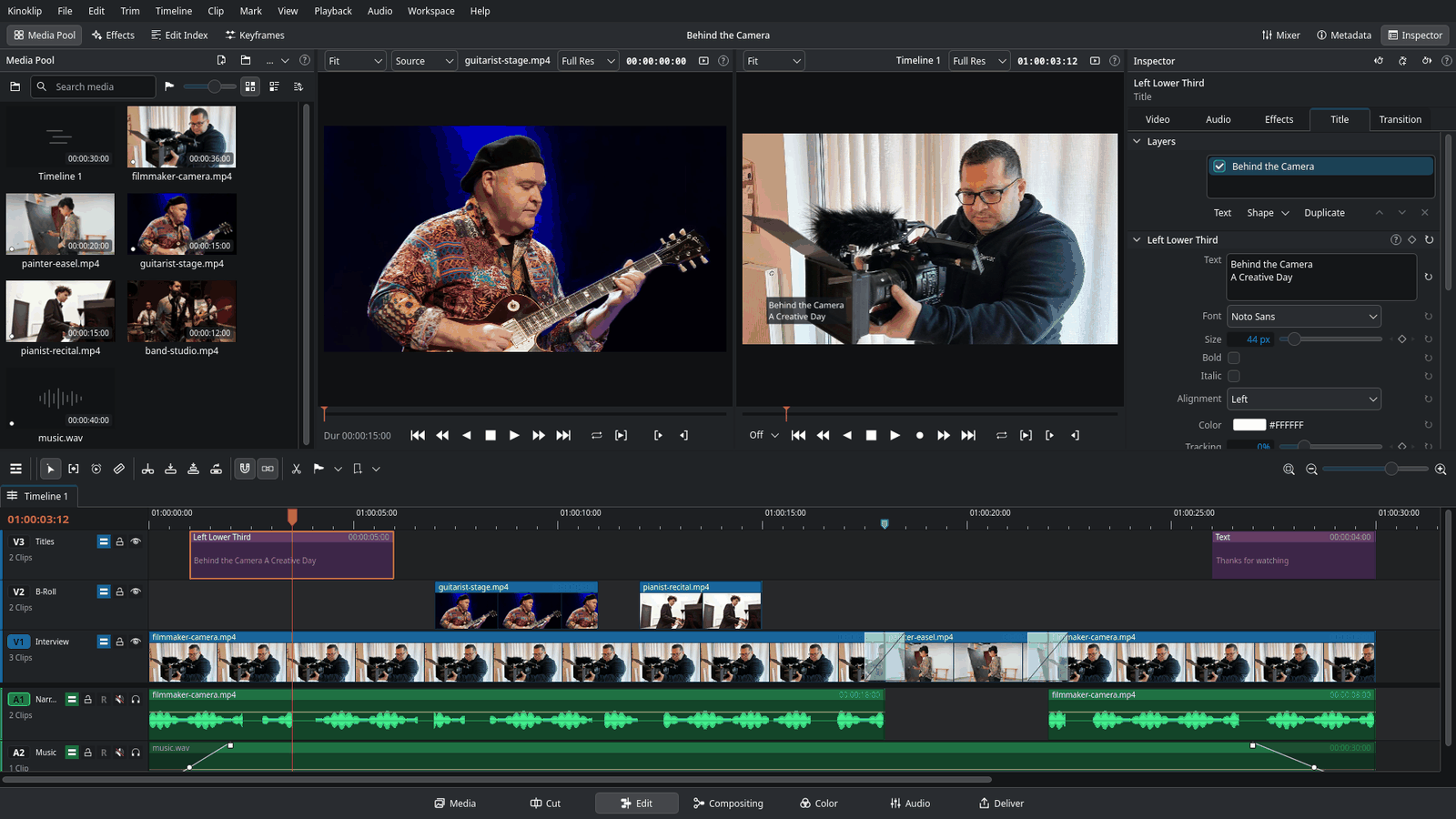
The page bar
Seven pages, one job each
The buttons along the bottom of the window are the same as in Resolve. Press Shift+2 for Media up to Shift+8 for Deliver; Shift+4 is Edit.
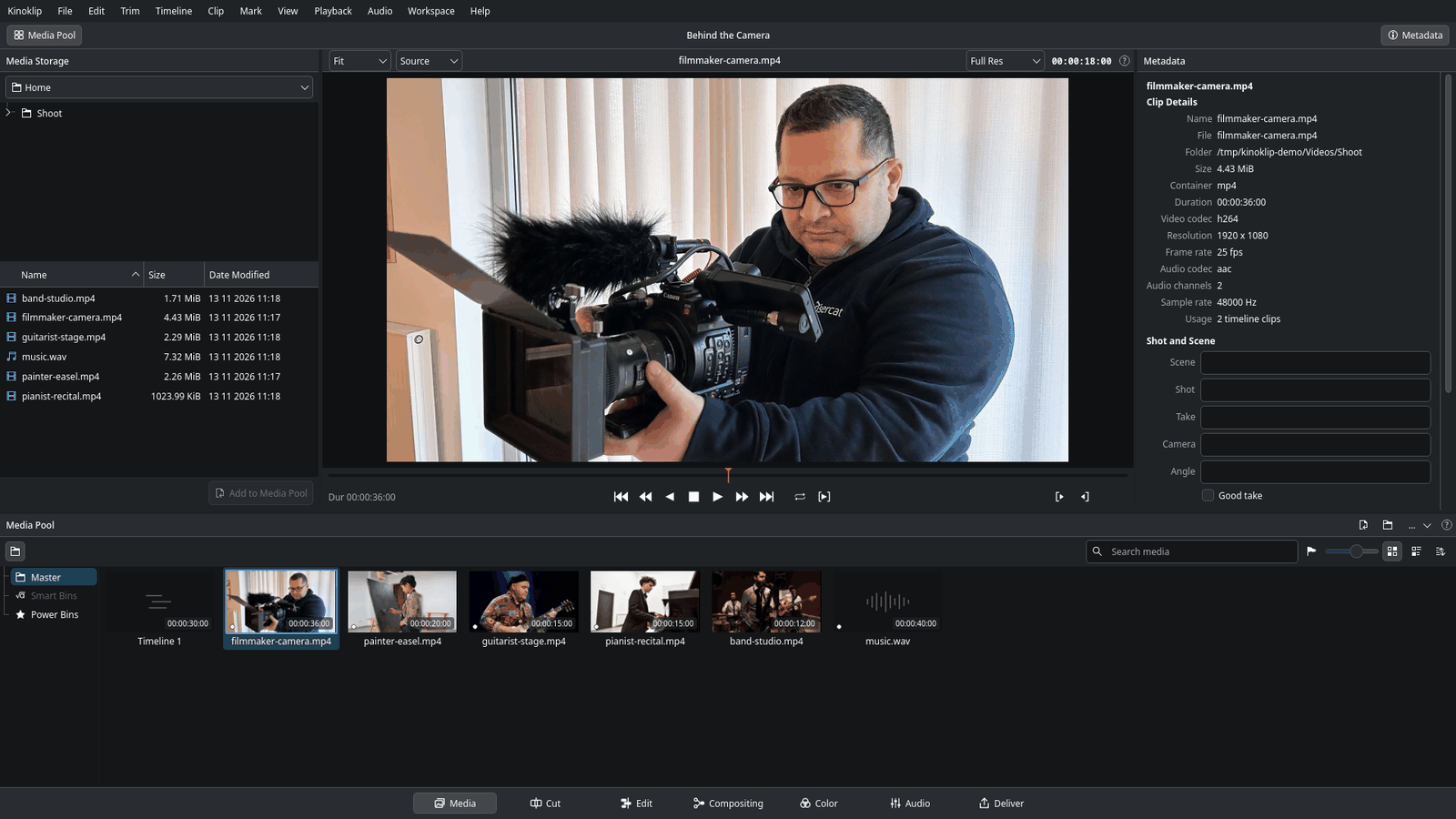
Media page
Bring everything in
Look through your files and bring them into the project. The media pool keeps clips in bins, smart bins that fill themselves with the clips matching your rules, and power bins. Import a whole folder and its sub-folders become bins.
Cut page
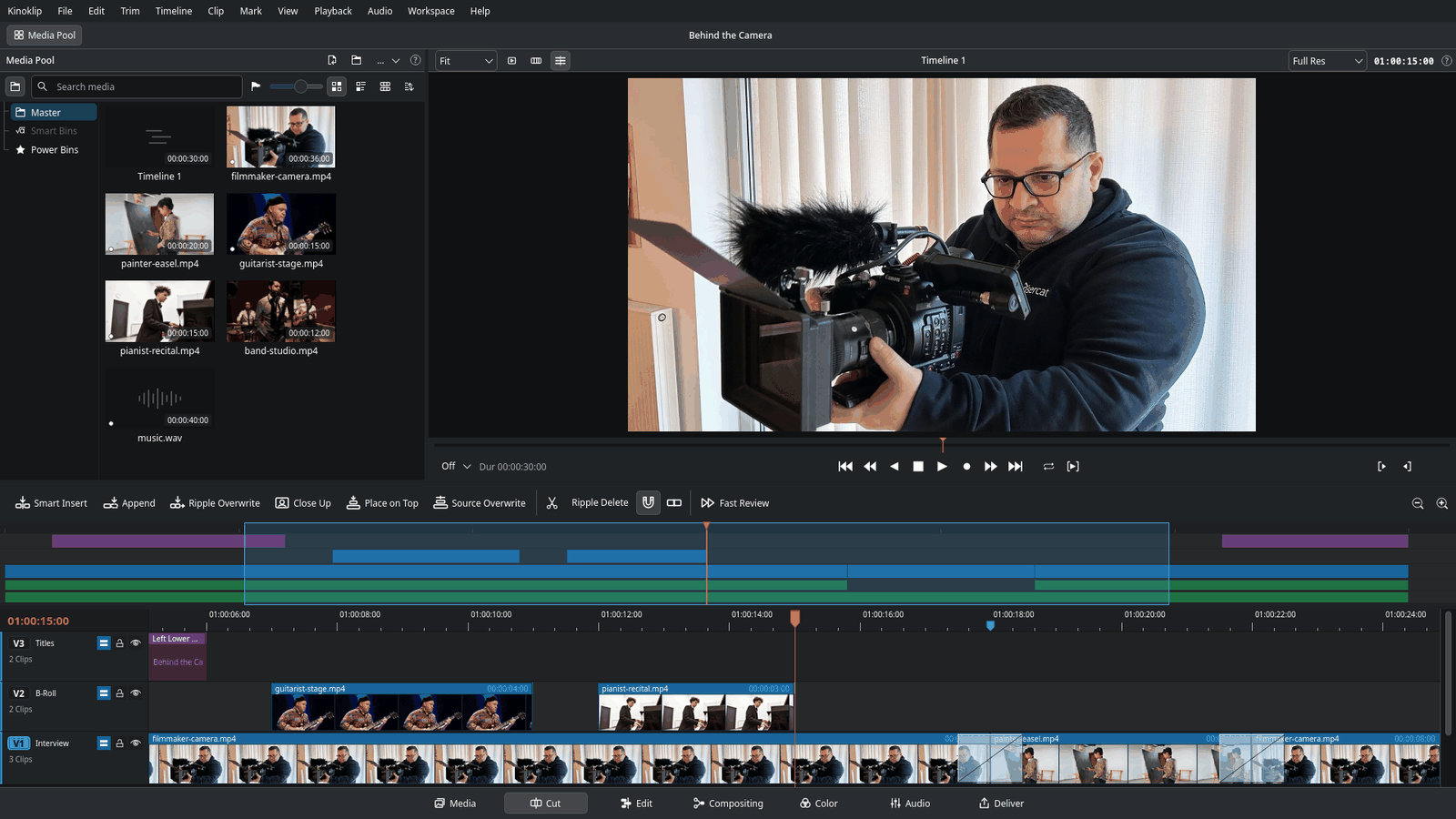
A quick rough cut
A simple editor for fast first versions. Two timelines sit one above the other: the whole edit, and a close-up of the part you are working on. The viewer can show one source clip, all your source clips as one continuous tape, or the timeline.
Edit page
The main editor
Tracks, trims, blade, transitions, titles and keyframes, with the keys you know: I and O mark, J K L play, B cuts. Most Resolve tutorials for the Edit page work here too.
Compositing page
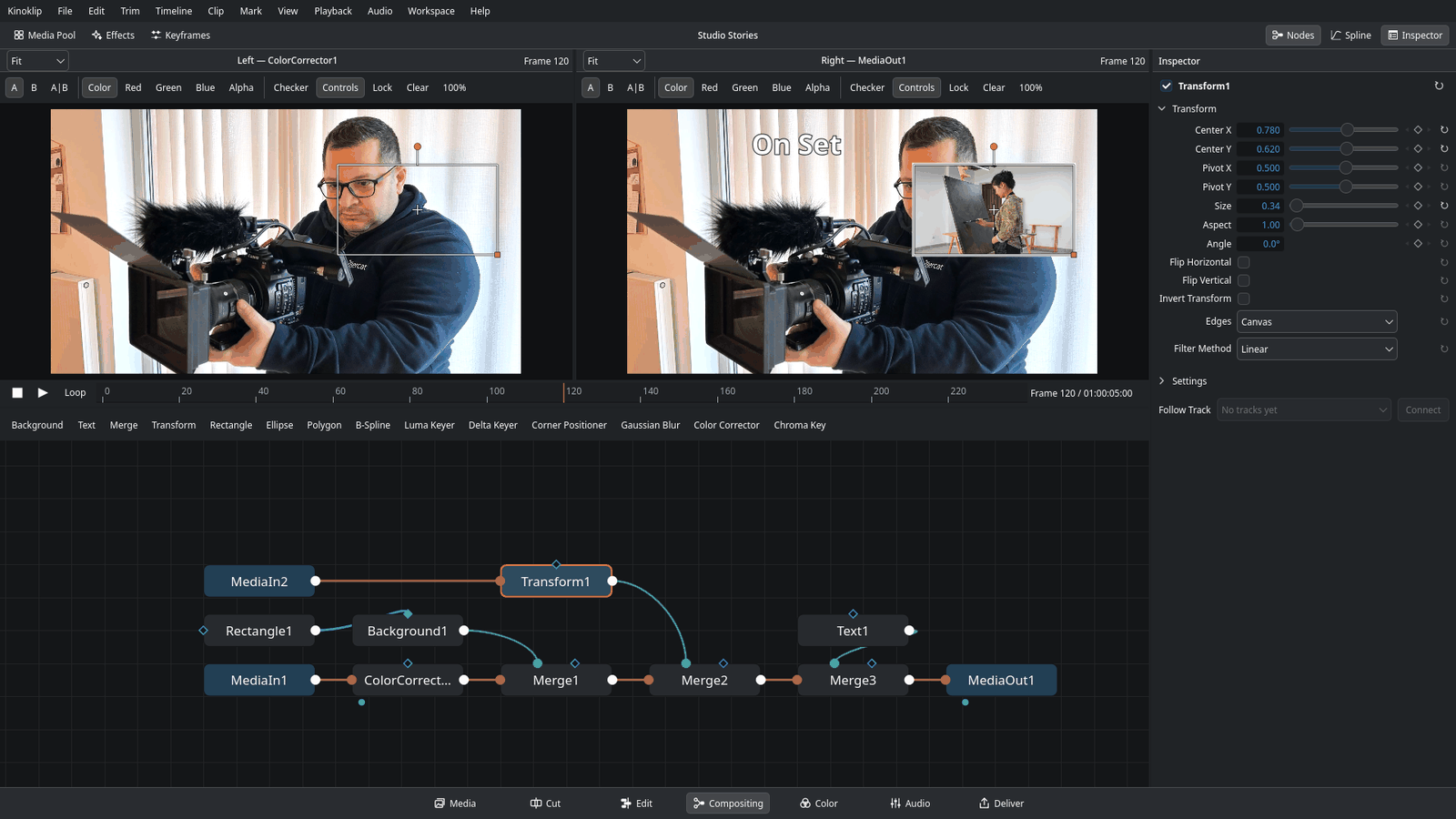
Nodes, when layers are not enough
Build the picture of one clip from nodes: small boxes that each do one thing, such as show the clip, write a text, blur, key out green or combine two pictures, joined by lines. Merge and Transform in full, masks, Luma and Delta keyers, Motion Blur, and Spline and Keyframes panels.
Color page
Grade every clip
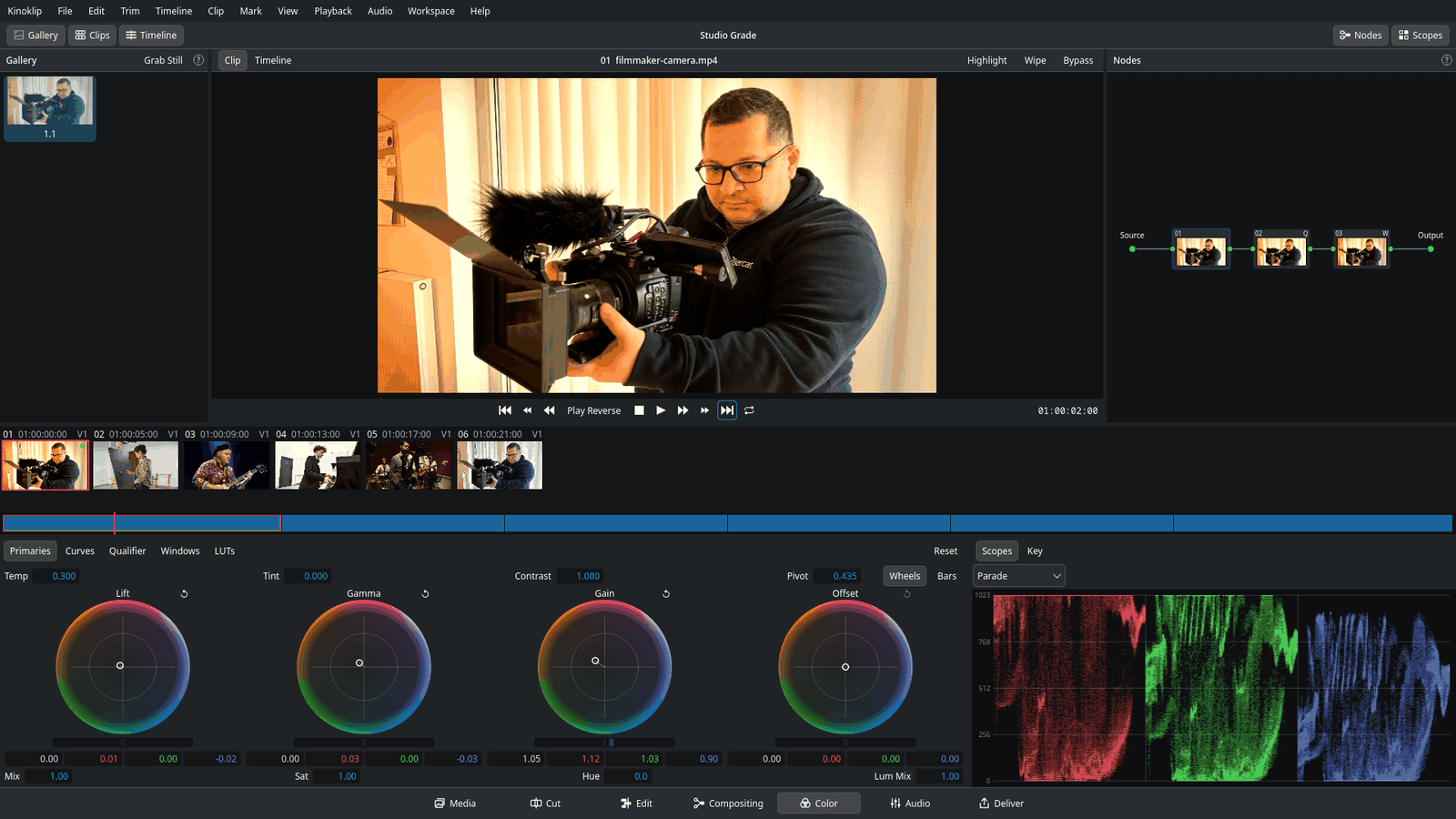
Fix a shot that came out too dark or too blue, or give it a look. Lift, Gamma, Gain and Offset wheels, curves, a qualifier, power windows and LUTs, in a node graph per clip, plus a grade for the whole timeline. What you see here plays on the Edit page and is part of the exported video.
Audio page
Mix and record
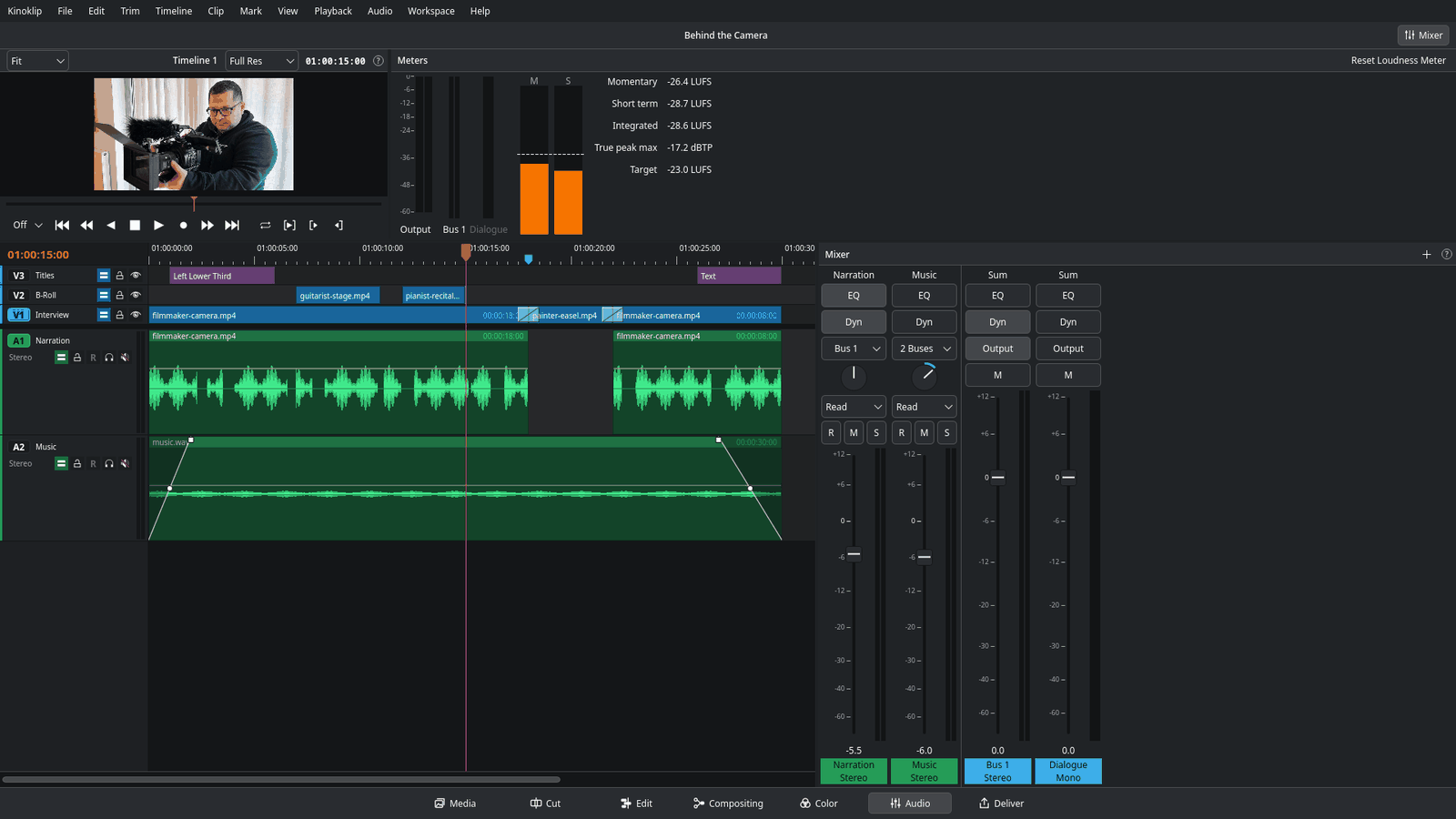
Mix the sound with track levels, meters, an equaliser and dynamics. Record a voice-over straight onto the timeline from any microphone your desktop sees, through PipeWire or PulseAudio.
Deliver page
Export for anywhere
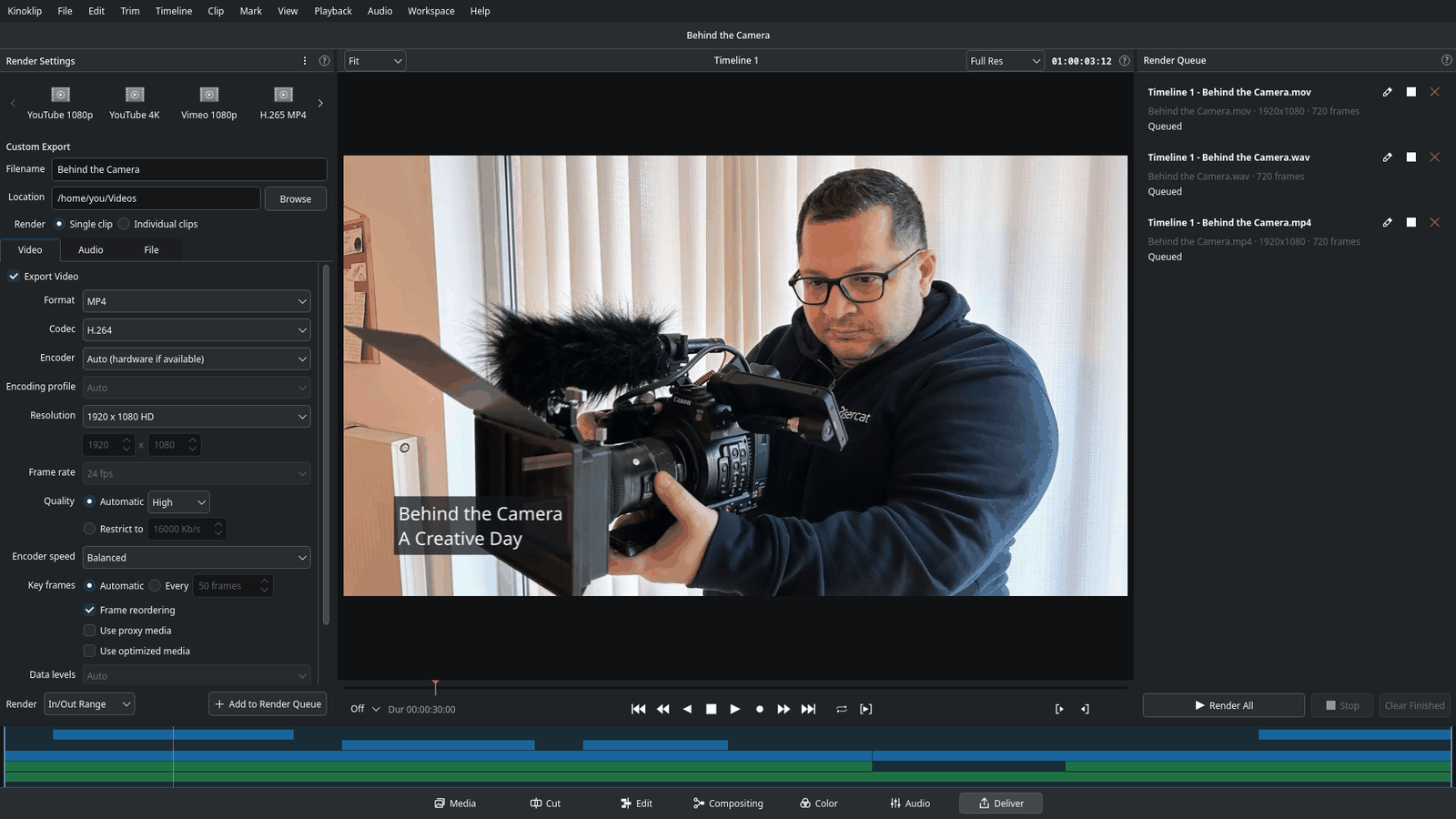
Export the finished video to a file with a preset such as YouTube 1080p, in H.264 or H.265 with AAC sound. Jobs wait in a render queue, and Individual clips renders each clip to its own file, with handles and naming options.
Try it
Press a key
This is a tiny timeline with Kinoklip's real keys. Click a key below, or click the timeline and use your keyboard.
The real Edit page has many more shortcuts; the full list is the Resolve keymap. Use the keys of your old editor if Resolve's are not yours.
Why on Linux
What Kinoklip does differently
Resolve runs on Linux, but its support is minimal: a short list of officially supported distributions, NVIDIA-first GPU support, and no H.264 or H.265 in the free version.
On Windows or macOS: don't. Kinoklip isn't available there yet, and even when it is, Resolve is the more complete and more mature editor. It's a great project, built and maintained by people who are paid to work on it full time, and that's worth supporting. Its free version is excellent, and buying Studio supports the people who made the workflow Kinoklip copies.
Latest release
New in Kinoklip 1.10
New
- Welcome window on the first start, with the settings that differ from Resolve (Help > Welcome opens it again)
- Every option in Preferences and Project Settings explains itself on hover
- Color: Curve power window, with smooth and corner points
- Color: shape keyframes for Polygon and Curve windows
- Color: Tracker palette, so a window follows a moving subject, and Stabilizer mode
Get Kinoklip
One file, no install. Open it with Gear Lever, or make it executable and double-click.
Community
Questions, ideas and your edits
Chat happens on Discord. Bugs go to GitHub issues, so they don't get lost in chat.